PyCharm SetUp
Setting Up the Source Paths
Note
I am not so sure about the configuration here and why it is that way but this appears to work.
The problem is that PyCharm doesn’t see the paths to the various application and therefore can not enable things like auto-completion.
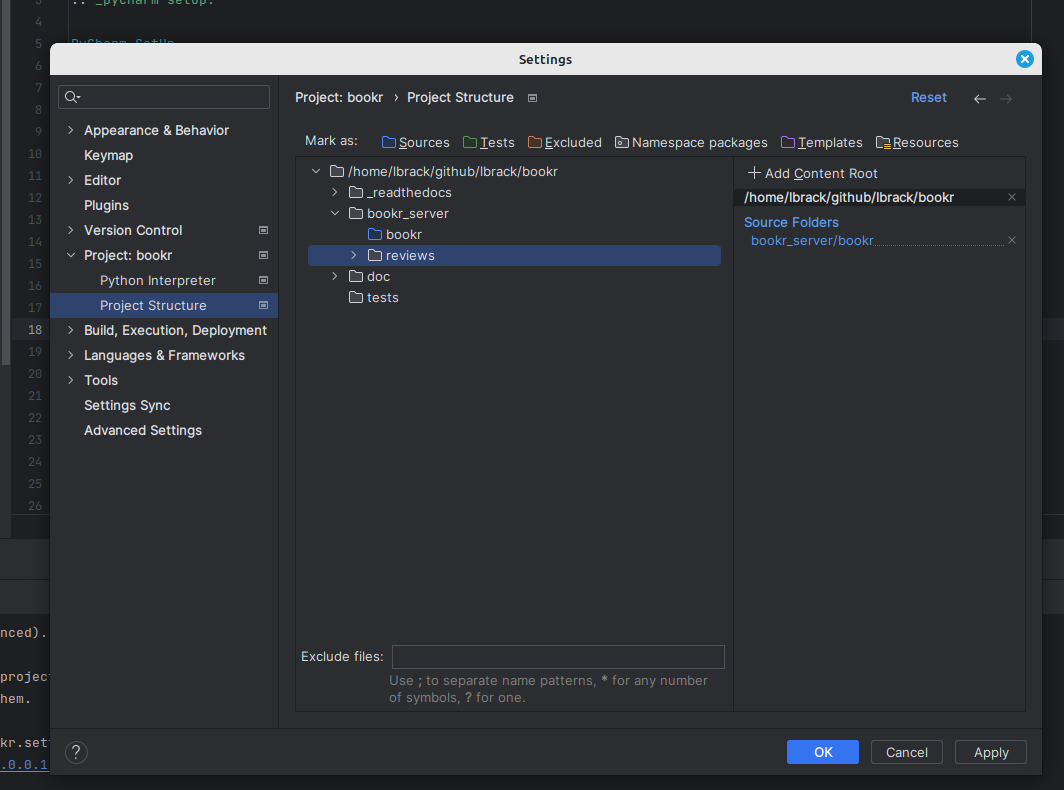
In order to fix this problem, click on settings and select project structure under the python interpreter.
Then select the root of a newly added app and set it as source (by click on the relevant folder type next
to Mark as:. Click Apply.
Debugging with Pycharm
The following process applies whether you want to run the server, run unit tests, or debug the code. It consists
seting up a run configuration.
You can run the server locally or in a vagrant box and remotely connect to it.
Run Configuration
First, go to Pycharm Settings and click on Django under Languages & Frameworks.
Fill out the form as illustrated below.
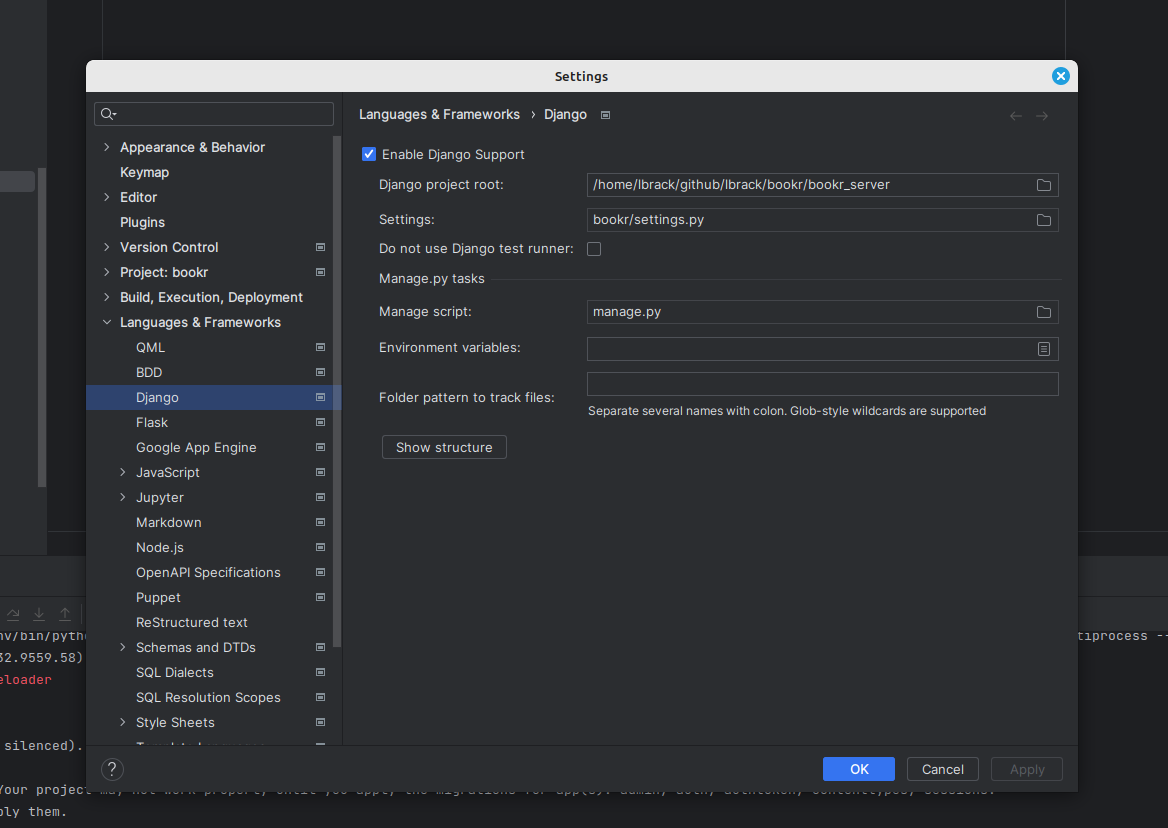
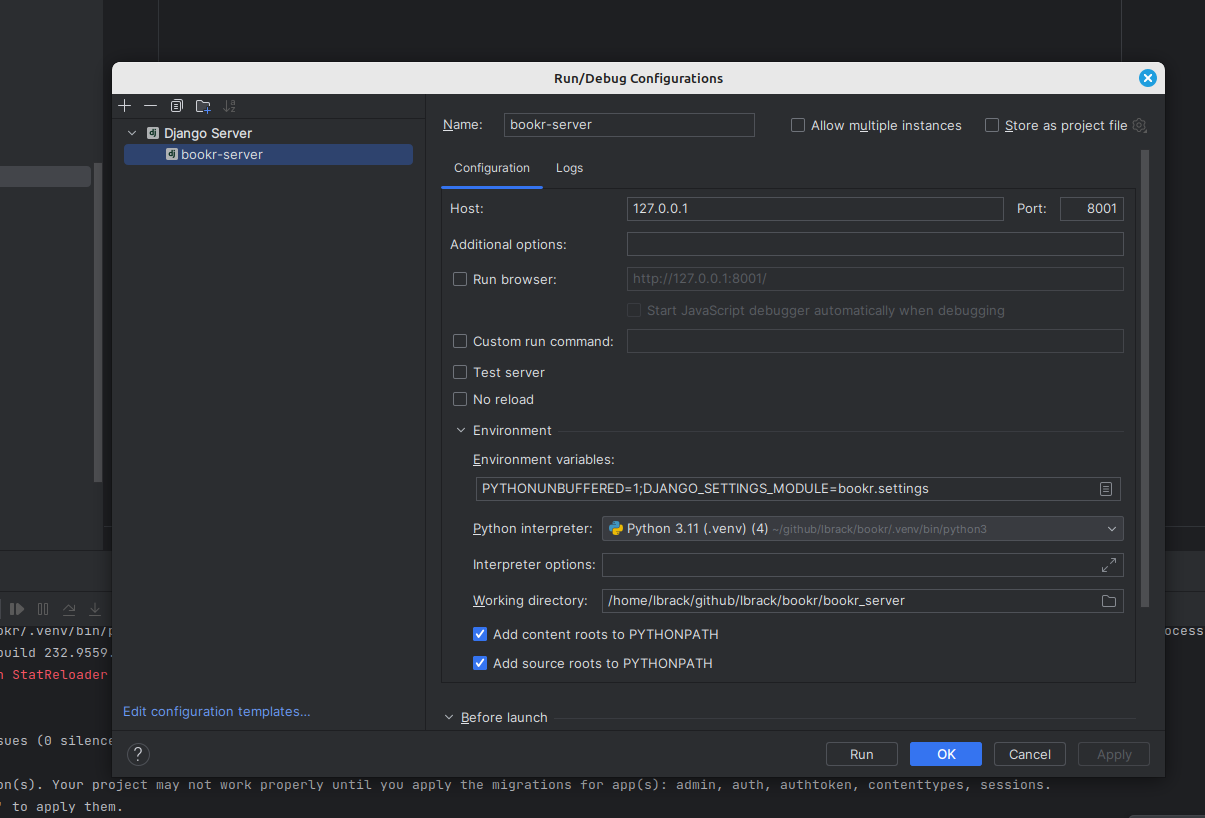
Click OK. Create a new run config as illustrate below
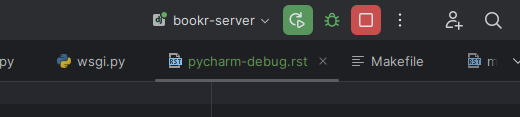
Finally, you can either start the server locally or run it in debug model as illustrated below. Note that for debugging, you will need to setup breakpoints in the code.
Remote Connection
Todo
I know this is doable but need to experiment with it.